Captains
Set your lines for a game
Build your lineup right on the game page: see who has checked in, drop players into a rink-style grid, and post lines the whole team can see.
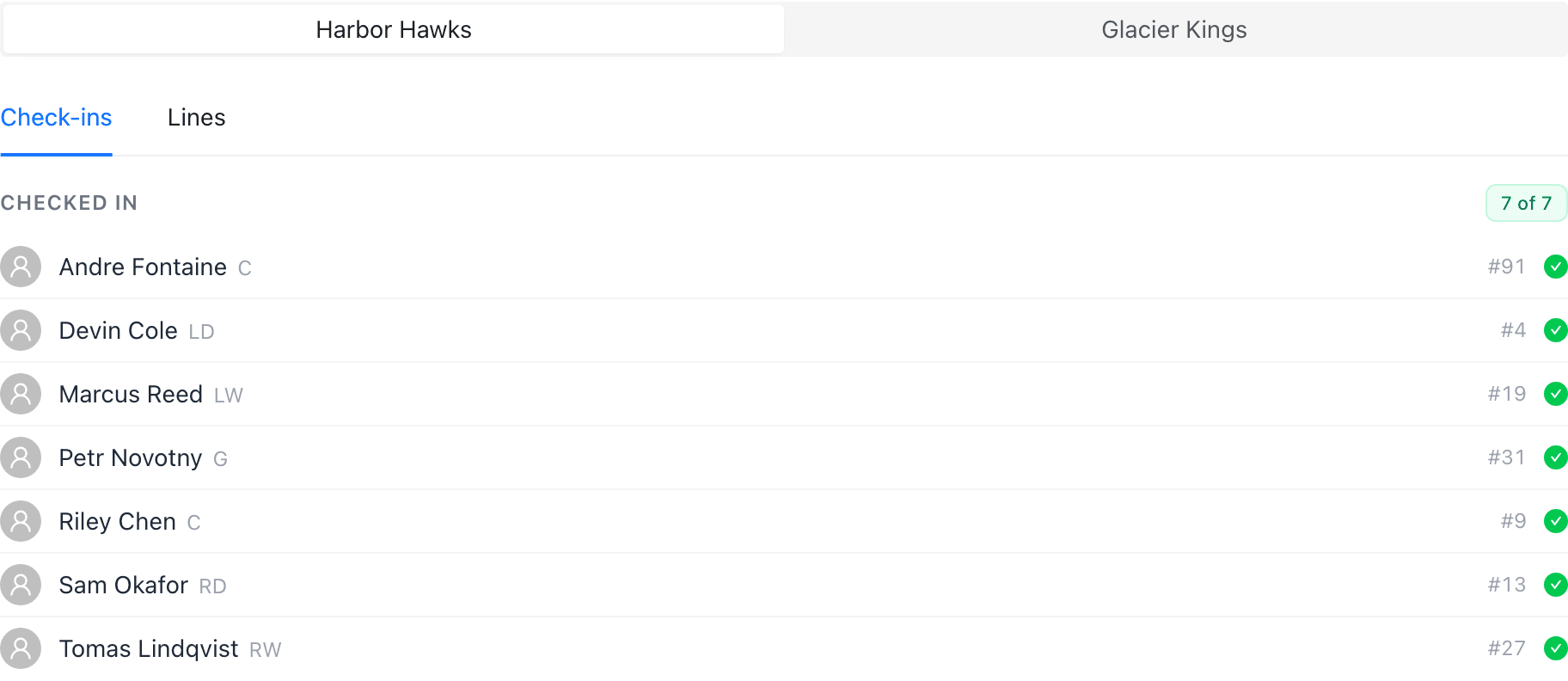
Start from who’s actually coming
Every league game page has a Check-ins tab per team where players mark themselves in or out. Lines can only include players who are checked in, so the availability list is your source of truth — no more guessing in the group chat.
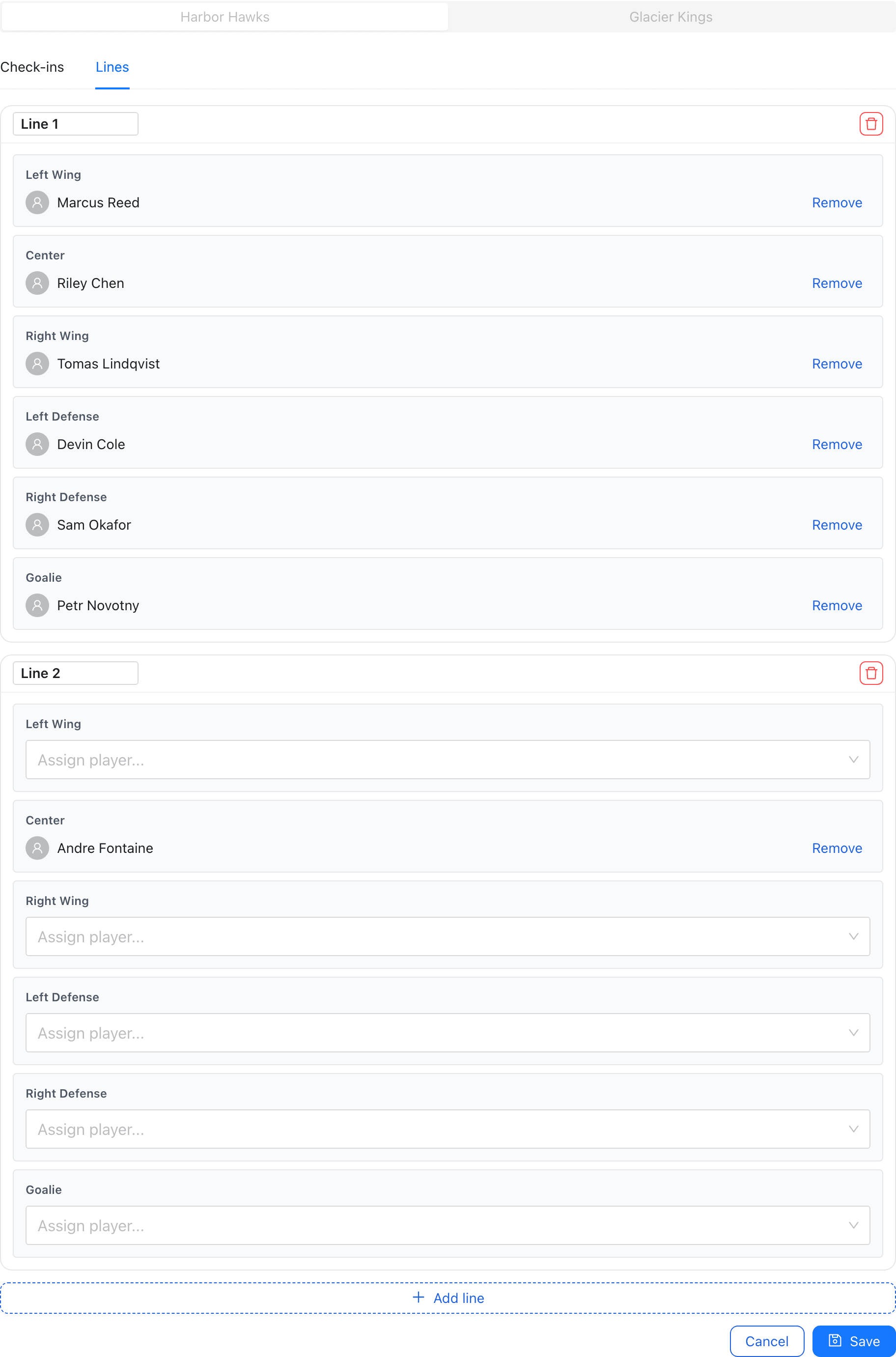
Assign players on the rink grid
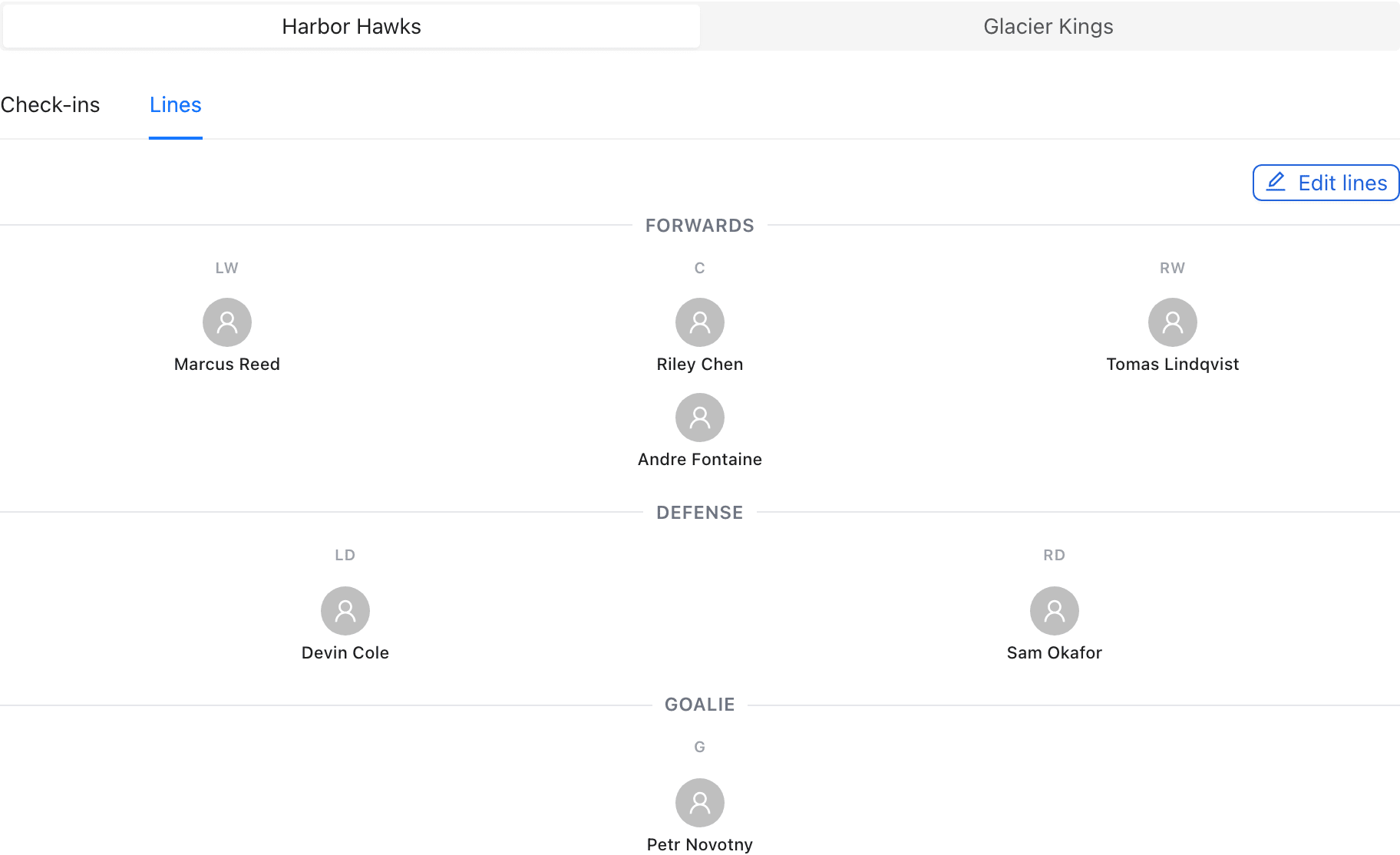
On the Lines tab, captains and team managers get an Edit lines button. Each line is a rink-style grid — wings and center up top, defense pairs, goalie in net. Tap a position to assign from the checked-in list, add as many lines as you roll, and rename them to whatever your bench calls them.
Save and the team sees the lines
Hit Save and the lines post to the game page for everyone on the roster — forwards, defense pairs, and starting goalie laid out on the rink. Update them any time before puck drop; the other team’s captain manages their side separately.